Navigating Engineering 3D Modelling: Software Selection and Ecosystems
In the fields of mechanical engineering, industrial design, equipment manufacturing, MEP (Mechanical, Electrical, and Plumbing), and even electronic product development, Engineering 3D Modelling (MCAD) serves as the gateway to the entire digital development chain.
From part/assembly modeling to Simulation (Computer-Aided Engineering, CAE), Manufacturing Strategy (Computer-Aided Manufacturing, CAM), BOM & PLM (Bill of Materials & Product Lifecycle Management), and downstream manufacturing and service, everything revolves around CAD data.
Today, common engineering 3D CAD software can be broadly categorized into several classes:
- Mainstream Mechanical CAD: SolidWorks, PTC Creo, Autodesk Inventor
- High-End Integrated CAD/CAE/CAM/PLM: Siemens NX, CATIA
- Next-Generation Cloud Platforms: Onshape, Autodesk Fusion (formerly Fusion 360)
- Open Source & Niche Tools: FreeCAD, Rhino + Grasshopper, OpenSCAD
Understanding the design philosophy and technology stack behind these tools is more important than simply asking “which one is better,” because:
- Software selection often determines a technology roadmap for decades.
- Once integrated with PLM, CAM, and simulation, the cost of migration is extremely high.
- New trends like Cloud-Native, Model-Based Definition (MBD), and Generative Design are reshaping how CAD works.
How to Evaluate Engineering 3D Modelling Software?
Let’s establish a set of universal dimensions for evaluating software, which we will use for comparison later:
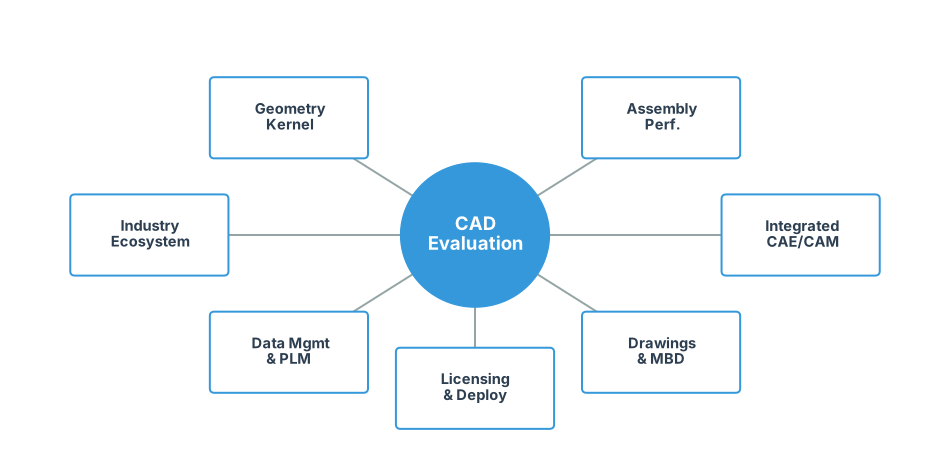
Geometry Kernel & Modelling Paradigm
- Does it support robust parametric feature-based modelling (Sketch + Feature Tree)?
- Does it simultaneously support Direct Modelling and Freeform Surfacing (NURBS, Sub-D)?
- What is the quality of handling complex surfaces, large curvature transitions, and thick plates/sheet metal?
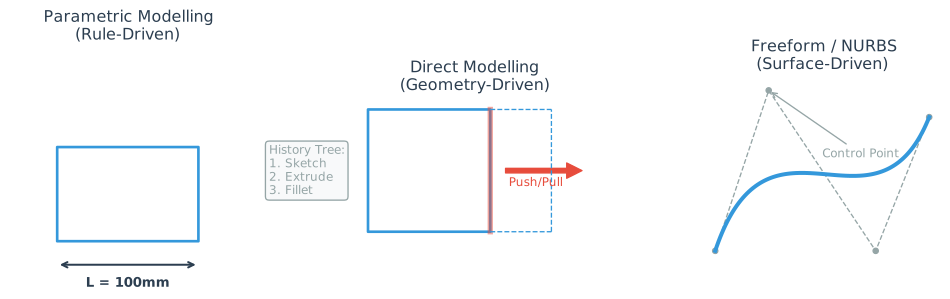
- Parametric: Driven by dimensions and logic. Change value → Model updates. (Best for machinery)
- Direct: Driven by geometry manipulation. Push/Pull faces. (Best for quick edits/concepts)
- NURBS: Driven by surface control points. (Best for styling/ergonomics)
Assembly & Large Assembly Performance
- Can it stably handle top-level assemblies with “tens of thousands of parts”?
- Are assembly constraint tools efficient and reusable (Skeleton/Master Model, top-down design)?
Integrated CAE / CAM Capabilities
- Are structural/thermal/fluid/motion simulation modules built-in or deeply integrated?
- Does it provide CAM (2.5/3/5-axis, mill-turn, machining simulation)?
- Does it support Additive Manufacturing (3D Printing), Topology Optimization, and Generative Design?
Drawings & MBD (Model-Based Definition)
- Capabilities for generating traditional engineering drawings (views, annotations, GD&T, tolerance analysis).
Geometric Dimensioning and Tolerancing is a symbolic language used on engineering drawings to explicitly describe nominal geometry and its allowable variation (e.g., flatness, parallelism, position), ensuring parts fit together during assembly.
- Does it support embedding PMI (Product Manufacturing Information) directly into the 3D model for a paperless MBD workflow?
Traditionally, engineers create a 3D model and then a separate 2D drawing for manufacturing. MBD embeds all tolerance, finish, and notes directly into the 3D file, acting as the “single source of truth” and eliminating the need for 2D drawings.
Data Management / Collaboration / PLM
- Does it come with PDM? Or does it rely on external systems (e.g., Teamcenter, Windchill)?
- Does it support cloud collaboration, version control, and permission management? How is the multi-site collaboration experience?
PDM vs. PLM
- PDM (Product Data Management): Manages CAD files (check-in/out, version history).
- PLM (Product Lifecycle Management): Manages the entire product (BOMs, requirements, suppliers, change processes), of which PDM is just a subset.
Industry Ecosystem & Training Resources
- Penetration rate in target industries (Automotive, Aerospace, Industrial Machinery, Mold & Die, etc.).
- Is there a mature ecosystem of training, certification, and third-party plugins?
Licensing Model & Deployment
- Traditional Perpetual + Maintenance vs. Subscription vs. Token/Usage-based pricing.
- Local installation, cloud hosting, browser access, or hybrid mode?
With these criteria established, let’s analyze the major contenders.
Mainstream Mechanical CAD
SolidWorks: The De Facto Standard for Mid-Range MCAD
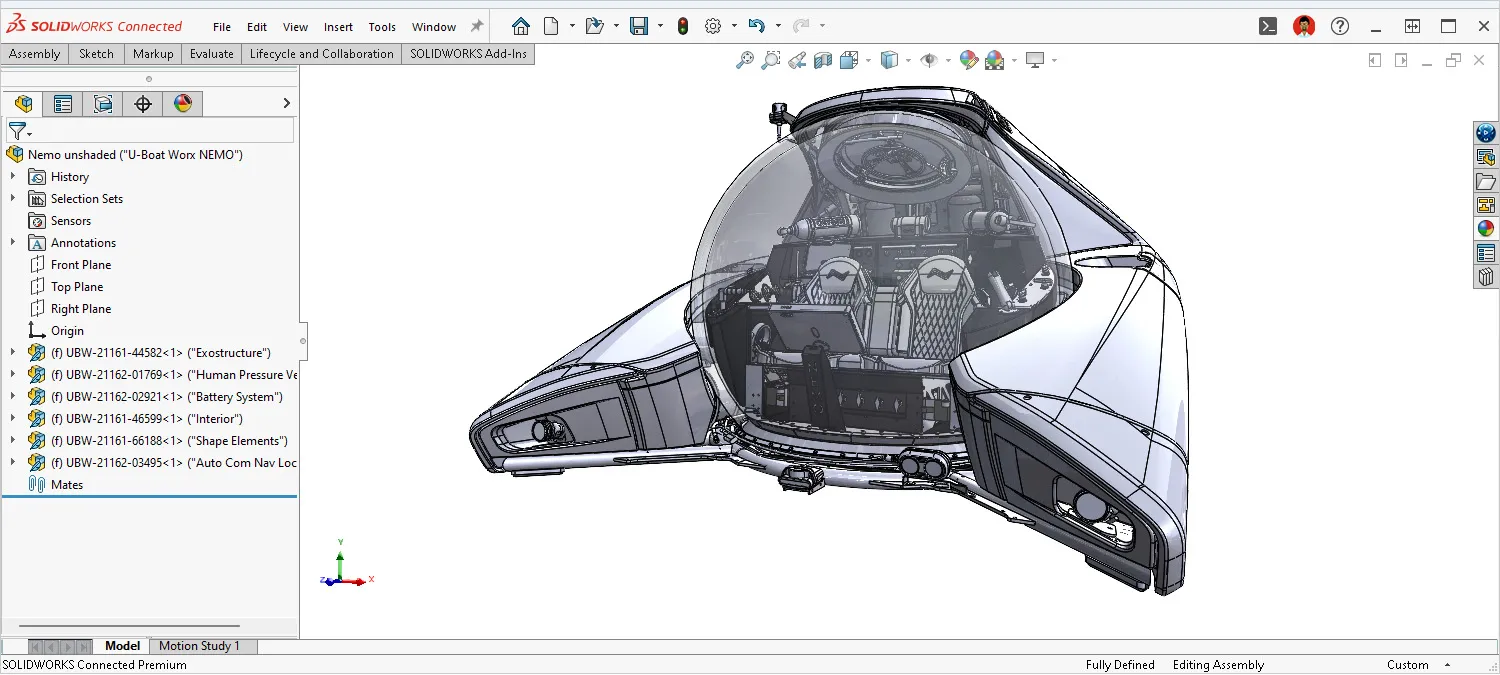
- Positioning: One of the most widely used products in professional mechanical CAD, dominating engineering education and small-to-medium mechanical enterprises.
- Modelling Capabilities:
- Excel at feature-driven parametric modelling with a mature Sketch Constraint + Feature Tree workflow.
- Supports common mechanical scenarios like surfaces, sheet metal, weldments, and flat patterns.
- Extensibility:
- Includes extensions for Simulation (Structural/Thermal), Flow Simulation (CFD), CAM, etc.
- Massive ecosystem of third-party plugins (gear/transmission libraries, electrical, piping) and training resources.
- Pros:
- Low barrier to entry; interface and command logic are easy to understand.
- Huge user base in SMEs and universities, ensuring a rich talent pool.
- Cons:
- Lags behind NX/CATIA in handling ultra-large assemblies and ultra-complex surfaces.
- Data management relies on PDM (e.g., PDM Professional or 3DEXPERIENCE connector), not “born in the cloud.”
Best For: General mechanical design, SME product development, education, especially for parts and medium-sized assemblies.
PTC Creo Parametric: The “Veteran” of Traditional High-End CAD
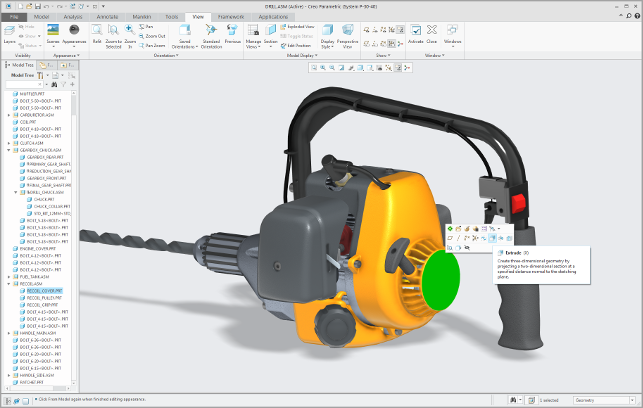
- Positioning: Formerly Pro/ENGINEER, one of the earliest parametric 3D CAD systems, now evolved into a complete suite covering CAD/CAE/CAM/Generative Design.
- Modelling Features:
- Extremely powerful parametric modelling, suitable for complex constraints and platform-based product families.
- Simultaneously supports Direct Modelling (Flexible Modeling), advanced surfacing, sheet metal, and piping.
- Integration:
- Deeply coupled with simulation and CAM, supporting structural, thermal, fluid, and fatigue analysis.
- Provides advanced features like Generative Design, Topology Optimization, and Additive Manufacturing preparation.
- Industry & Ecosystem:
- Deep roots in Aerospace, High-end Equipment, and Automotive industries.
- Typically combined with its own PLM (Windchill).
- Pros:
- Ideal for enterprises with extremely high requirements for “parametric rules” and “configurable products.”
- Supports complex assemblies and large-scale systems engineering.
- Cons:
- Steeper learning curve; management and deployment tend to be “heavy.”
- Less friendly to individual users and lightweight projects.
Best For: Automotive, Aerospace, Complex Electromechanical Systems, Highly Standardized and Configurable Product Development.
Autodesk Inventor: Mechanical CAD Deeply Integrated with AutoCAD
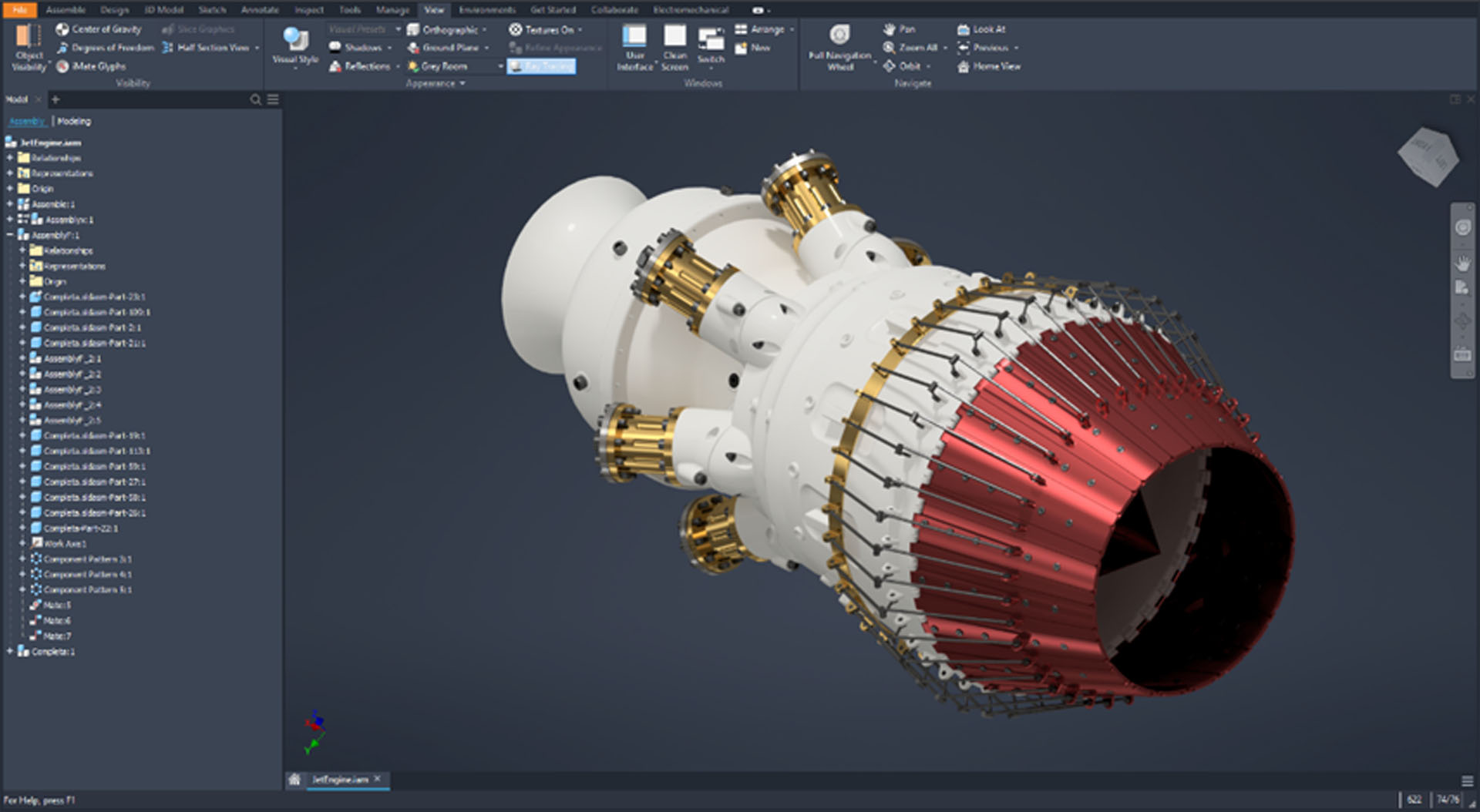
- Positioning: 3D CAD for mechanical design, Autodesk’s main force in the MCAD field.
- Modelling & Functions:
- Supports multiple modelling methods including Parametric, Direct, and Freeform.
- Integrates Sheet Metal, Weldments, Frame Generator, Piping, Cable & Harness, Rendering, etc.
- iLogic supports rule-driven design automation.
- Integration & Collaboration:
- Integrated with CAM tools, allowing toolpath generation directly from 3D models.
- Supports MBD, embedding manufacturing information into 3D models.
- Enables collaboration and data sharing via Autodesk cloud services.
- Pros:
- Highly compatible with AutoCAD, Revit, and other Autodesk products in file formats and workflows; friendly handling of DWG/BIM interoperability.
- Offers flexible licensing models like subscription and Pay-Per-Use (Flex tokens).
- Cons:
- Less influence in high-end industries (especially automotive final assembly, aerospace complete machine) compared to NX/CATIA.
- Large-scale PLM and complex systems engineering often rely on other Autodesk/third-party solutions.
Best For: Equipment manufacturers intersecting with BIM/Architecture, companies with mixed Mechanical + AutoCAD environments, and SMEs needing integrated CAD+CAM.
High-End CAD/PLM Platforms
These two software suites represent the high-end tier of the market, typically found in automotive OEMs, Tier 1 suppliers, Aerospace, Shipbuilding, and Rail Transit.
Siemens NX: The Flagship of Integrated CAD/CAE/CAM
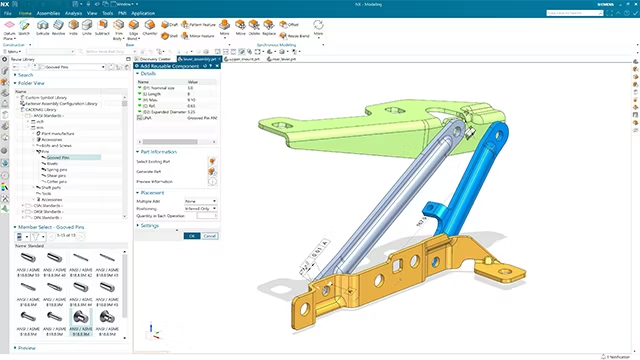
- Positioning: NX CAD/CAM/CAE provides a complete platform from concept design to simulation and manufacturing.
- Capabilities:
- Supports Parametric, Direct, and Convergent Modelling, as well as complex surface and geometry construction.
- Built-in high-end simulation (Structural, Thermal, Combined Physics, CFD, etc.) and powerful CAM modules.
- Supports MBD, Knowledge-Based Engineering, Design Automation, and Large Assembly Management.
- Data Management & Collaboration:
- Deeply integrated with Teamcenter PLM, covering the full lifecycle including requirements, configuration, change management, manufacturing engineering, and service.
- Pros:
- Outstanding performance in complex products like aero-engines, gas turbines, high-end equipment, and automotive powertrains.
- Very strong data governance capabilities for large assemblies and long-lifecycle products.
- Cons:
- High deployment and maintenance costs.
- Requirements for IT infrastructure and process construction are far higher than “just CAD.”
Best For: Large Multinational Manufacturing Groups, High-end Equipment OEMs, Complex Systems Engineering driven by PLM.
CATIA (3DEXPERIENCE Platform): The King of Complex Surfaces & Large Systems
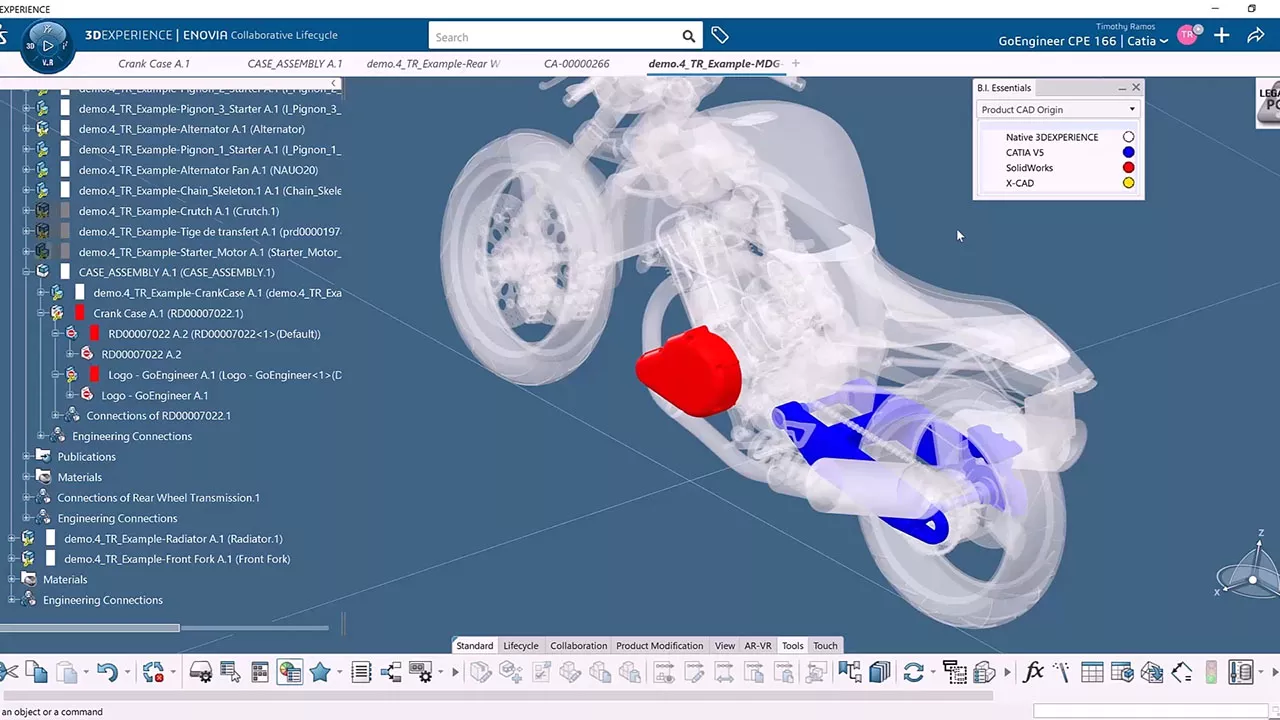
- Positioning: CATIA on the 3DEXPERIENCE platform is Dassault Systèmes’ flagship for complex mechanical and shape design.
- Modelling & Industry Capabilities:
- Extremely powerful in complex shapes, Class-A surfaces (car bodies, wing surfaces, ship hulls), and large assembly management.
- Covers the complete process of Part/Assembly, Kinematics, Sheet Metal, Mold & Die, Composites, etc.
- The de facto standard in Automotive, Aerospace, Shipbuilding, and Transportation industries.
- Platform & PLM:
- Leveraging the 3DEXPERIENCE platform, it naturally blends PLM, Project Management, Simulation, Manufacturing Planning, etc.
- Supports cloud deployment and role-based licensing (Mechanical Designer, Mechanical & Shape Designer, etc.).
- Pros:
- Deep support for extreme complex shapes, ultra-large assemblies, and system-level engineering workflows.
- High degree of platformization, suitable for pan-enterprise digital transformation.
- Cons:
- High price and implementation cost; high learning and management threshold.
- Often “too heavy” for SMEs or simple mechanical part design.
Best For: Automotive OEMs, Aerospace Final Assembly, Complex Transportation Vehicles, Large Groups needing a unified platform for multi-disciplinary collaboration.
Cloud-Native / Cloud-Hybrid CAD
Onshape: Truly Cloud-Native CAD in the Browser
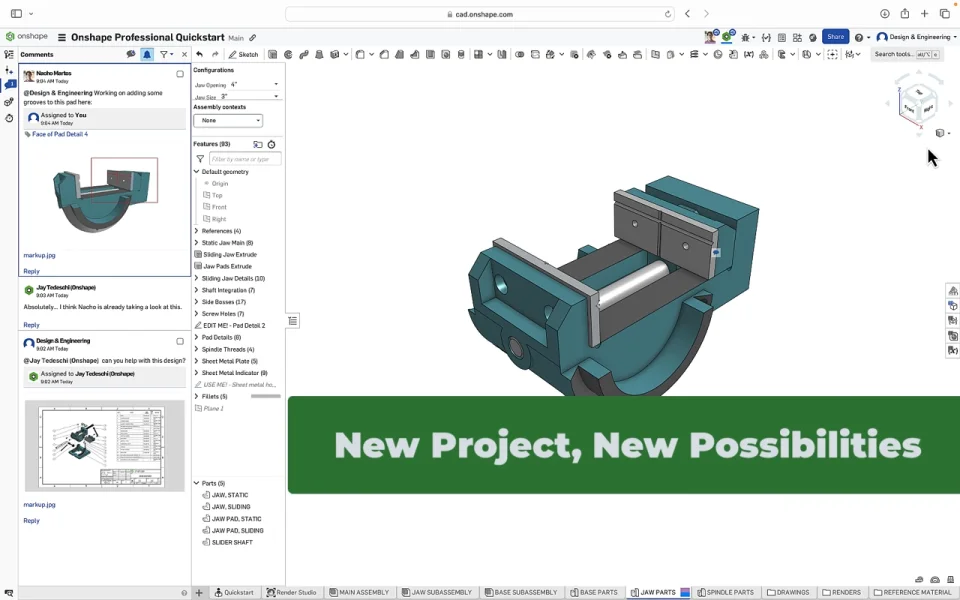
- Positioning: 100% Cloud-Native CAD + Built-in PDM platform, created by the original SolidWorks founding team, now owned by PTC.
- Core Features:
- Runs entirely in the browser, no local installation required; geometric calculations for complex assemblies are done on the server side.
- Built-in PDM with a “file-less” database structure; version control, branching/merging, and rollback work like Git/Google Docs.
- Real-time multi-user collaborative editing; same model can be operated online simultaneously, naturally solving “file lock and version conflict” issues.
- New Capabilities:
- Launched Cloud-Native MBD, binding PMI directly to the 3D model, touted as the first MBD solution in a Cloud-Native CAD+PDM environment.
- Provides API and secondary development capabilities, combined with cloud analytics and reporting.
- Pros:
- Greatly reduces IT maintenance costs, especially suitable for distributed teams.
- Version management and collaboration experience are significantly better than traditional “Shared Drive + PDM” workflows.
- Cons:
- Heavily dependent on network quality (though cloud rendering and progressive loading perform well in complex assemblies).
- Integration with traditional high-end PLM and existing heavy IT systems is still evolving.
Best For: Cross-regional Design Teams, SaaS-culture Mature Companies, Startups, and teams wanting to completely escape “CAD File Hell.”
Autodesk Fusion: The All-in-One Cloud Platform for CAD+CAM+CAE+PCB
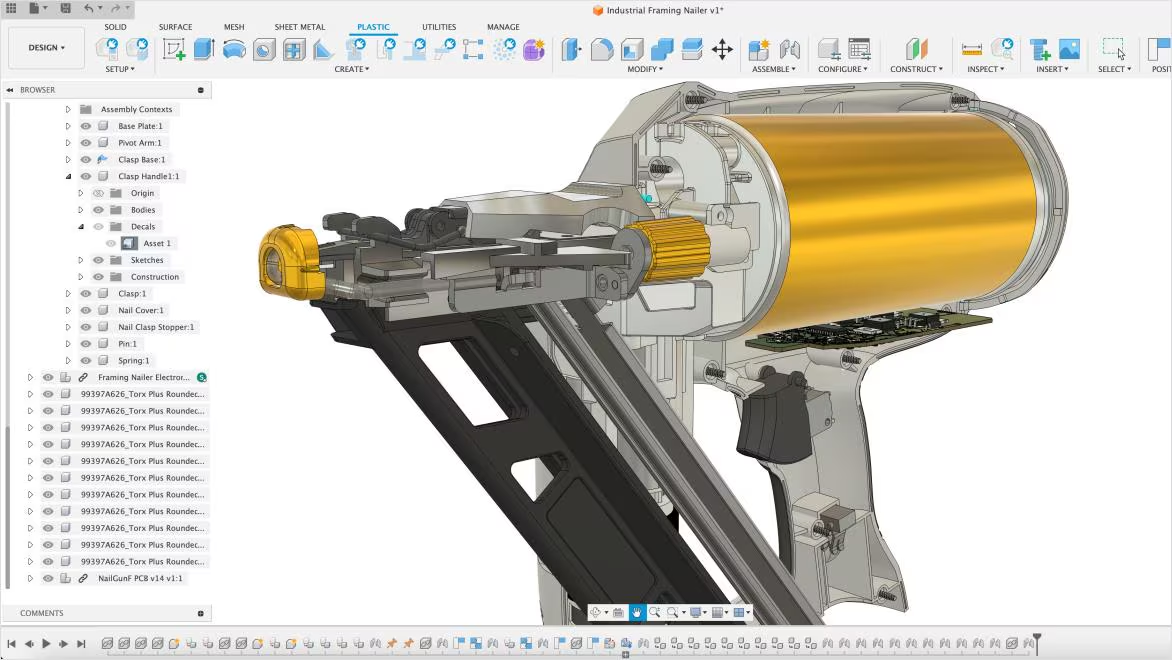
- Positioning: A cloud platform fusing 3D CAD, CAM, CAE, and PCB design, focused on teams needing integration from concept to machining.
- Functional Features:
- Supports multiple modelling methods including Parametric, Freeform, Mesh, and Automated Design.
- Built-in 2.5/3/4/5-axis CAM, Turning, Mill-Turn, and toolpath generation/optimization.
- Integrates Simulation and PCB design, realizing mechatronics integration and collaborative verification.
- Cloud Features:
- All engineering data is unified in the Fusion cloud, enabling project-level data management and cross-team collaboration.
- Subscription-based licensing, suitable for scaling by project or team size.
- Pros:
- Extremely friendly to “small but complete” teams: one platform connects mechanical design, electronic design, and machining programming.
- Ideal for innovative products, makers, prototyping, and small-batch manufacturing.
- Cons:
- Inferior to NX/CATIA in extremely large-scale assemblies and complex PLM processes.
- There is a certain practical threshold for integration with enterprise existing IT/Desktop CAD systems.
Best For: SME Hardware Teams, Smart Hardware/Robotics/Mechatronics Products, Platform-style teams needing the CAD+CAM+PCB trinity.
Open Source & Specialized Tools
FreeCAD: Open Source Parametric CAD for General Engineering
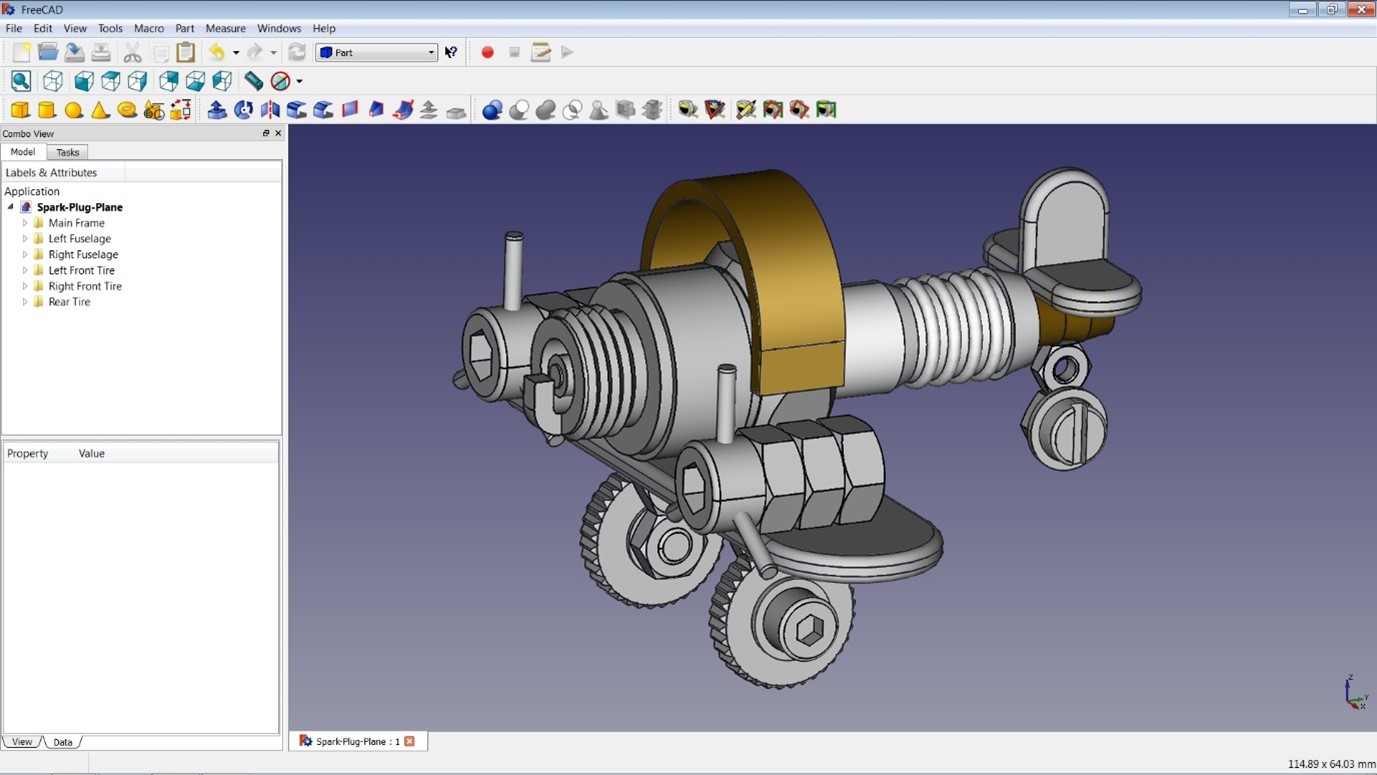
- Positioning: Open-source, cross-platform general-purpose parametric 3D CAD covering mechanical, architectural, and other fields.
- Characteristics:
- Functionally aims to approximate mainstream engineering CADs like CATIA, Creo, SolidWorks: Parametric Parts, Assembly, Drawings, FEM, BIM modules, etc.
- Uses OpenCascade geometry kernel, Qt-based interface, provides rich Python API, and supports extension via Workbenches.
- Pros:
- Free and open-source, suitable for research, education, personal projects, and secondary development.
- Active community, very friendly to customization and automation (Python scripts).
- Cons:
- Support for industrial-grade large assemblies and complex surfaces is still weaker than commercial legacy CAD.
- UI/UX and stability have a gap compared to “commercial flagships,” especially with extremely complex models.
Best For: Budget-sensitive teams, Open Source advocates, Research scenarios needing high customizability and scripting.
OpenSCAD: The “Code-Based” 3D Modeller
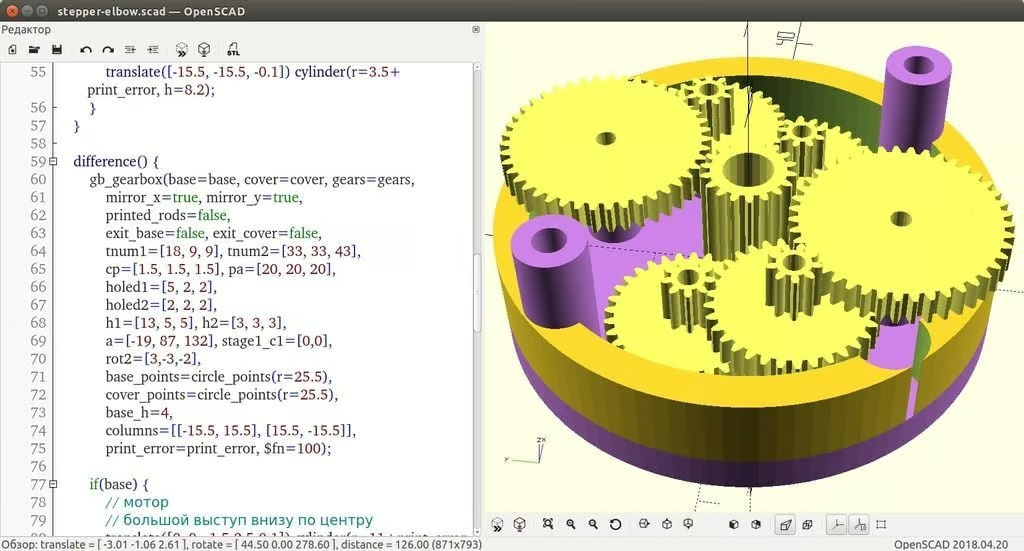
- Positioning: A very special category in “Engineering 3D Modelling”: Parametric CAD where you write code to create models. It acts more like a “3D Compiler” than a traditional point-and-click modelling software.
- What is OpenSCAD:
- Free software for creating solid 3D CAD models, supporting Linux/UNIX, Windows, and Mac OS X.
- Not an interactive modeller; it reads script files (text descriptions) and renders 3D models, making it perfect for configurable, reproducible parametric design.
- Two main modelling paths: Constructive Solid Geometry (CSG - boolean operations on primitives) and 2D Outline Extrusion.
- Pros & Cons:
- Strength: “Putting geometry logic into code.” You can solidify dimension rules with variables and modules, changing parameters to get a series of specifications.
- Exchange: Can use DXF as a 2D exchange format for extrusion, and supports reading/writing STL, OFF, etc. (common in 3D printing pipelines).
- Limitation: Because it follows a “Script → Generate Model” workflow, it doesn’t offer the core experiences of mainstream MCAD like assembly constraints, engineering drawings, and PDM/PLM workflows.
- Relation to Others:
- VS FreeCAD: OpenSCAD is more programmatic; FreeCAD is a traditional GUI-based parametric CAD open-source alternative.
- VS Onshape/Fusion: OpenSCAD is usually embedded as a “Geometry Generator / Parametric Part Library” in a larger chain, rather than handling the full lifecycle.
- VS Rhino: OpenSCAD doesn’t do “high-quality freeform surfacing,” fitting better for parts with engineering logic, structural parts, fixtures, and standard part variants.
- When to Choose OpenSCAD:
- You need to make a pile of “same structure, different size” parts (fixtures, brackets, gear/connector variants) and want reusable code rules.
- Your target is the 3D printing ecosystem, and you need stable exports (STL/OFF/DXF/SVG).
- Strategy: Prioritize mainstream MCAD (SolidWorks/Creo/Inventor/NX/CATIA) or Cloud Platforms (Onshape/Fusion) for assembly/drawings/collaboration, and use OpenSCAD as a “Programmable Modelling Supplement.”
Rhino + Grasshopper: The Premier Tool for Surfaces & Parametric Design
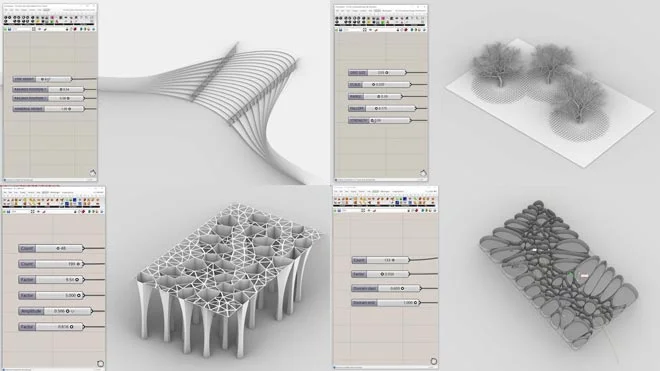
- Positioning: NURBS-based 3D modelling software, widely used in Industrial Design, Architecture, Automotive Styling, etc., where high requirements for freeform surfaces exist.
- Features:
- NURBS accurately describes geometry from simple lines/circles to complex freeform surfaces.
- Grasshopper provides a graphical parametric design environment, turning Rhino into a powerful geometric computation platform.
- Pros:
- Extremely high quality for complex double-curved surfaces, smooth transitions, and sculptural styling.
- Expandable into a design computation platform via scripts and plugin ecosystems (Python/C#, various architecture/structure/environmental analysis plugins).
- Cons:
- Natively not a mechanical-focused “Feature + Parameter + Drawing” workflow.
- Capabilities in Drawings, Assembly, MBD, and PLM integration are far inferior to professional MCAD.
Best For: Styling-driven products, Architecture & Structural Form research, Early design stages requiring high geometric freedom.
Key Selection Advice: What Should Your Team Use?
Based on the dimensions and software profiles above, here are some selection suggestions for typical scenarios:
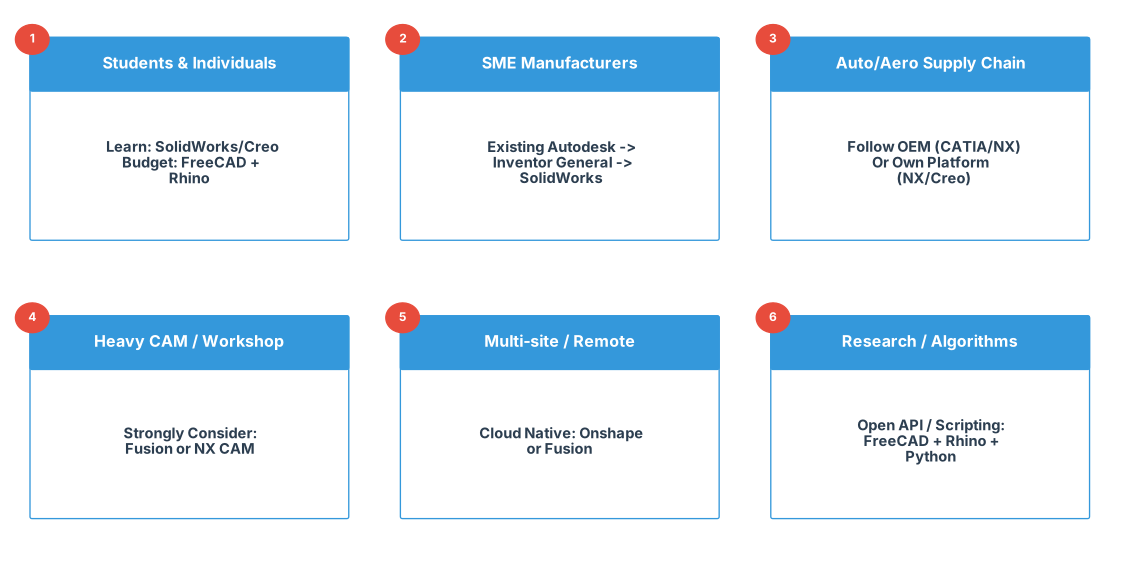
Undergrad/Grad Students & Individual Engineers
- Schools mostly use SolidWorks / Inventor / Creo: Prioritize learning the corresponding software to align with future job market demands.
- Want freedom / Long-term availability: FreeCAD + Rhino (Student/Education License) is a high value-for-money combination.
SME Mechanical Manufacturers (General Equipment, Tooling, Non-Large Assembly)
- Existing AutoCAD / Autodesk system: Inventor + Fusion (for CAM/Sim/Collab) is a natural extension.
- General Machinery: SolidWorks + Corresponding PDM/SIM/CAM ecosystem is often the most cost-effective.
Supply Chains in Automotive, Aerospace, Rail, etc.
- Follow the OEM:
- OEM uses CATIA: CATIA + 3DEXPERIENCE priority.
- OEM uses NX: NX + Teamcenter for easier alignment of file formats and processes.
- Building own platform: NX / Creo are often more controllable in CAD/CAE/CAM integration and engineering processes.
- Follow the OEM:
Heavy CAM / Workshop-Centric Manufacturing Enterprises
- Strongly recommend considering Fusion (CAD+CAM) or NX with NX CAM:
- Small to Mid-sized shops: Fusion’s “Modelling to Toolpath” integration offers extremely high ROI.
- High-end Multi-axis Machining, Complex Molds: NX CAM has very high recognition in the high-end CNC field.
- Strongly recommend considering Fusion (CAD+CAM) or NX with NX CAM:
Multi-site Collaboration, Remote-First Teams
- Want full SaaS, no local install: Prioritize Onshape.
- Already in Autodesk ecosystem: Fusion works well as a cloud collaboration platform.
Research Institutes, Algorithm/Geometry Teams
- Need scripting, open APIs, low licensing barriers: FreeCAD + Rhino + In-house Toolchain is a typical combination.
Future Trends: From “Drawing 3D” to “Data & Intelligence Driven Engineering Platforms”
Finally, looking at trends, these software tools are evolving in several common directions:
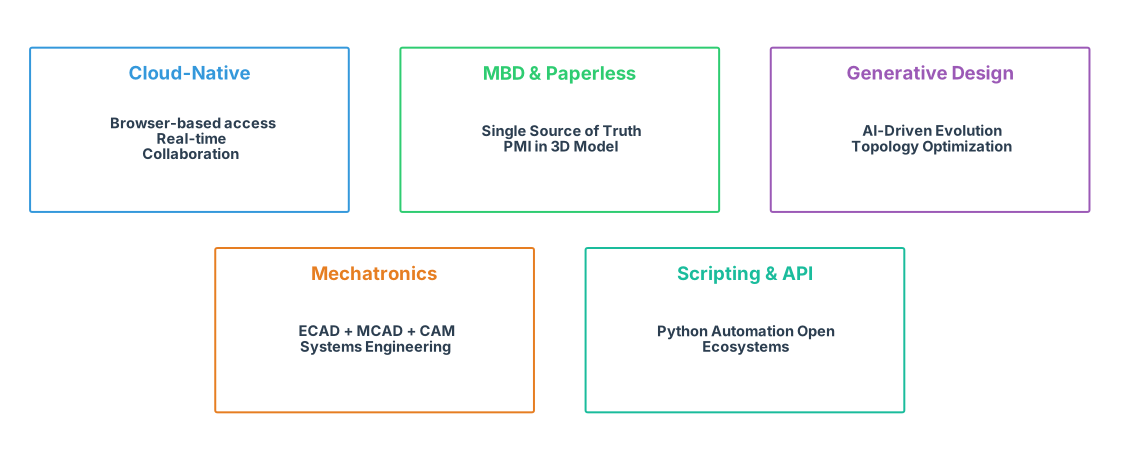
Cloud-Native & Browser-Based Onshape and Fusion have proven that 3D CAD can achieve performance and experience comparable to local apps in a browser. Siemens NX and CATIA are also reducing IT complexity through cloud hosting, online access, and hybrid deployment.
MBD & Paperless Onshape launched Cloud-Native MBD; Inventor, NX, and CATIA are strengthening MBD features, aiming to make the 3D model the true “Single Source of Truth.”
Generative Design & Topology Optimization Creo systematically introduced Generative Design modules; Fusion integrates Automated Design, Topology Optimization, and Cloud Simulation into its platform.
Generative Design vs. Topology Optimization
- Topology Optimization: “Whittling down” material from a given rough shape to meet load targets (Subtractive logic).
- Generative Design: “Growing” entirely new, often alien-looking geometries from scratch based on constraints, exploring hundreds of valid options (Evolutionary logic).
Mechatronics & Systems Engineering Fusion merges CAD, CAM, CAE, and PCB to lower the barrier for mechatronics integration. NX and CATIA leverage their PLM platforms to extend into Systems Engineering, Requirements Engineering, and Simulation Data Management.
Scripting & Open Ecosystems FreeCAD’s Python API, Rhino’s scripts & Grasshopper, and mainstream CAD APIs are giving “Engineers who code” more leverage. In the long run, manual command clicking will occupy less and less engineering design time.
Conclusion: Selection Logic > “Which Brand is Stronger”
If we view CAD as the “IDE of the Engineering World,” productivity is defined not by individual features, but by ecosystem integration:
- Does it fit the mainstream ecosystem of your industry?
- Can it smoothly connect with your company’s PLM, Simulation, Manufacturing, and Operations systems?
- Does it support the collaboration model (Local/Cloud/Multi-site) you might adopt in the next 3-5 years?
- Can it keep up with trends like MBD, Generative Design, and Mechatronics?
For individual engineers and technical teams, a pragmatic strategy is:
- Choose a Mainstream CAD widely used in your industry as your primary focus.
- On top of that, use 1-2 Cloud or Open Source tools to fill gaps in collaboration and automation.
- Incorporate Scripting/Automation (e.g., Python, API) into your long-term skill stack—this will give you a significant advantage in the next generation of the CAD ecosystem.